Configure Bright MCP
Daksh Khurana

Daksh Khurana

Author

Published Date: January 11, 2026

Estimated Read Time: 2 minutes

How to Configure Bright MCP in Augment Code

This page will guide you on how to setup Bright’s MCP in Augment Code

Table of Contants:

1. In your IDE go to the Augment Code extension settings:

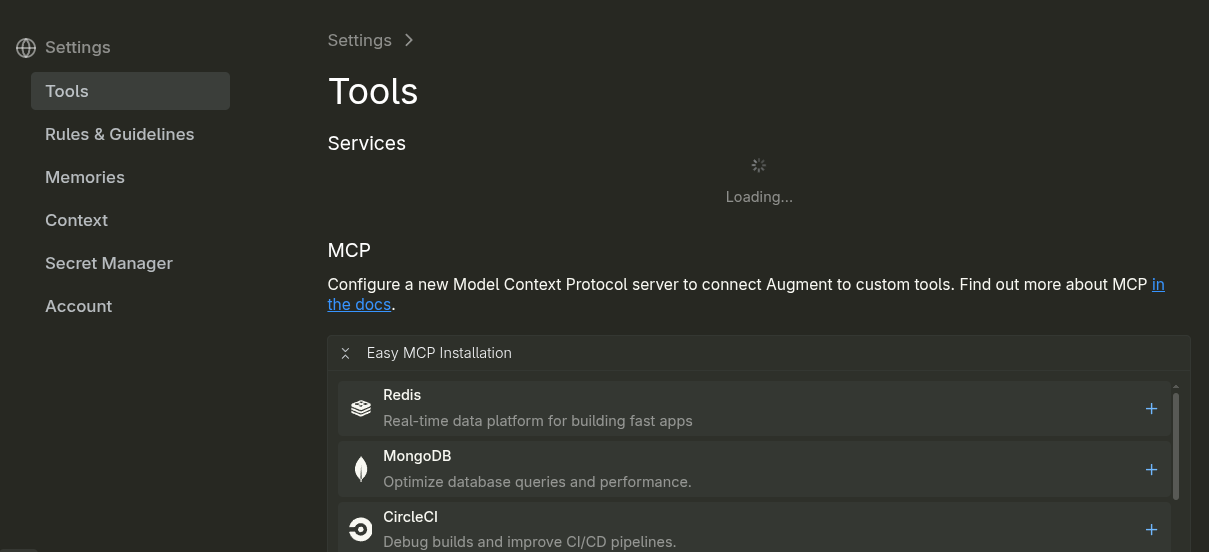
2. Once inside the settings go to Tools and scroll down to MCP

3. Under MCP click on: + Add remote MCP

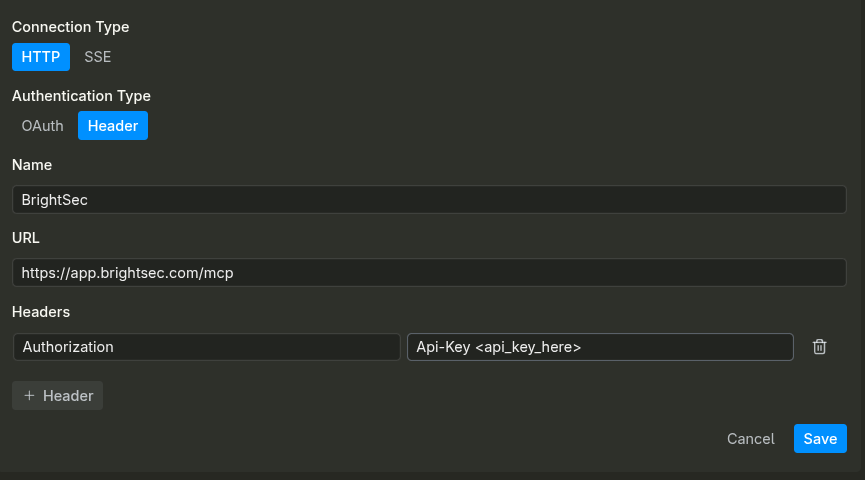
4. Set the following fields as shown

5. Headers: Authorization and your API key in the value as Api-Key KEY_HERE

6. Once this is done click save, if your configurations are correct you should see something like this:

7. Your are now able to call Bright’s functionality from within Augment Code
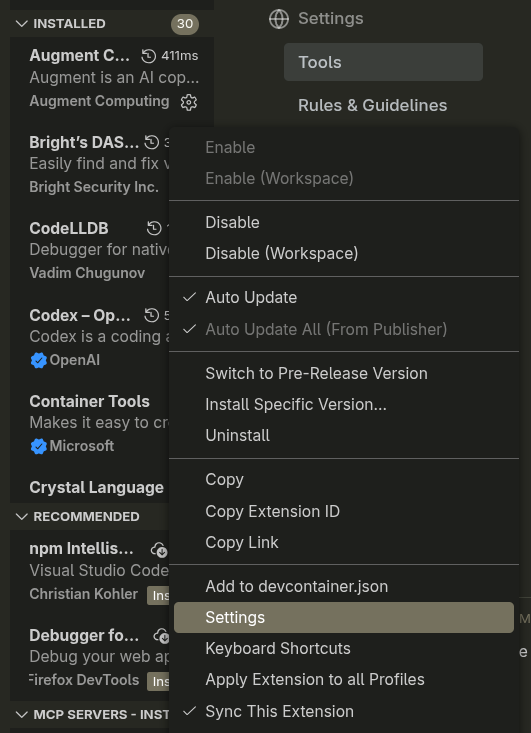
  1. In your IDE go to the Augment Code extension settings:
  2. Once inside the settings go to Tools and scroll down to MCP
  3. Under MCP click on: + Add remote MCP
  4. Set the following fields as shown:
    1. Connection Type: HTTP
    2. Authentication Type: Header
    3. Name: BrightSec
    4. URL: this is based on your cluster, but by default should be https://app.wordpress-1572668-6243392.cloudwaysapps.com/mcp
    5. Headers: Authorization and your API key in the value as Api-Key KEY_HERE
  5. Once this is done click save, if your configurations are correct you should see something like this:
  6. Your are now able to call Bright’s functionality from within Augment Code
Stop testing.

Start Assuring.

Join the world’s leading companies securing the next big cyber frontier with Bright STAR.

Our clients:

More

Product Updates

AI Driven Product Roadmaps: Turning Security Insights Into Decisions

Every product team aims at creating features that their customers will love. However, the problem lies in figuring out which...
Daksh Khurana
June 26, 2026
Read More
Product Updates

How Bright STAR Helps Customer Success Teams Run Better Reviews

One of the most difficult questions when it comes to application security is not "How many vulnerabilities did we find?"...
Daksh Khurana
June 22, 2026
Read More
Product Updates

Automating Bug Triage to Reduce MTTR by 60 Percent

Most engineering leaders have experienced the same frustrating situation. A production issue appears. Monitoring systems trigger alerts. Multiple engineers join...
Daksh Khurana
June 16, 2026
Read More
Product Updates

Scaling AppSec With AI: How Autonomous GitHub Agents Enhance Bright Agent

Software development is changing in a way. Artificial Intelligence is not just helping people who write code. It is actually...
Daksh Khurana
June 4, 2026
Read More