This blog post announces the November 2021 Update for Bright. We added some new features and product enhancements that will make your experience even better.
Improvements
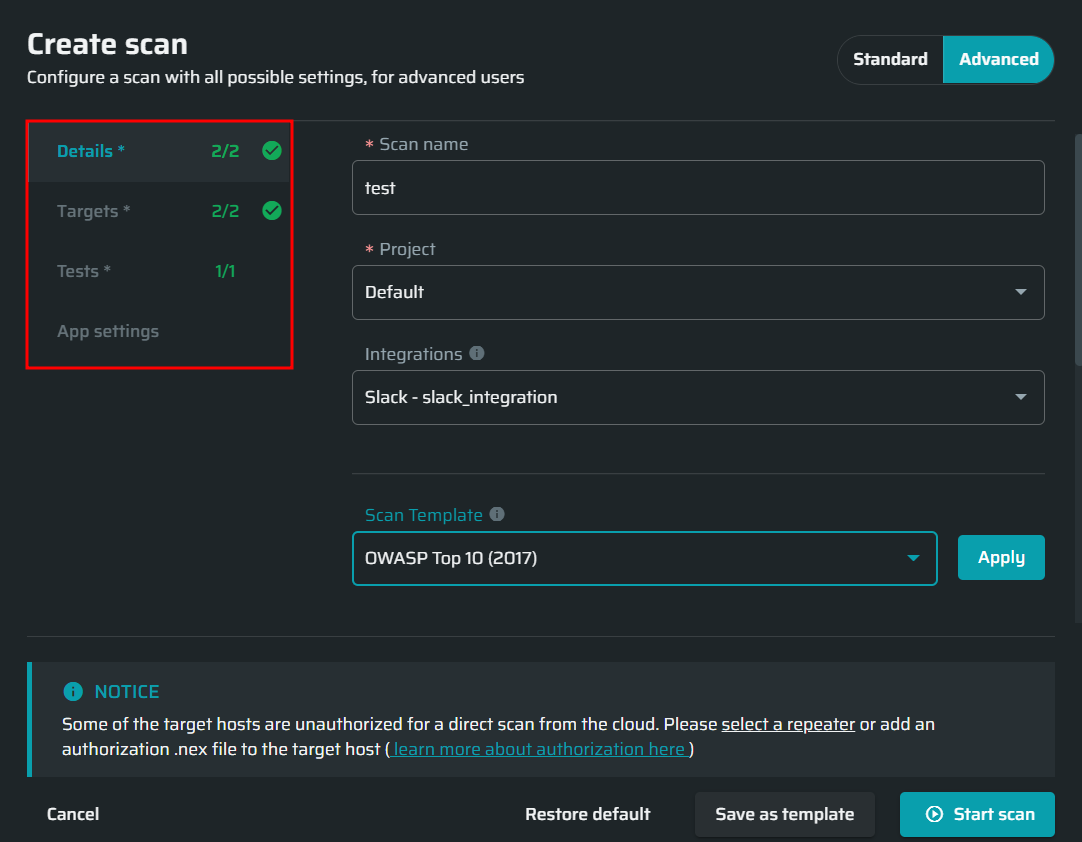
Simplified new scan window
Scans can now be set up faster and easier in the advanced mode. Run a scan now!
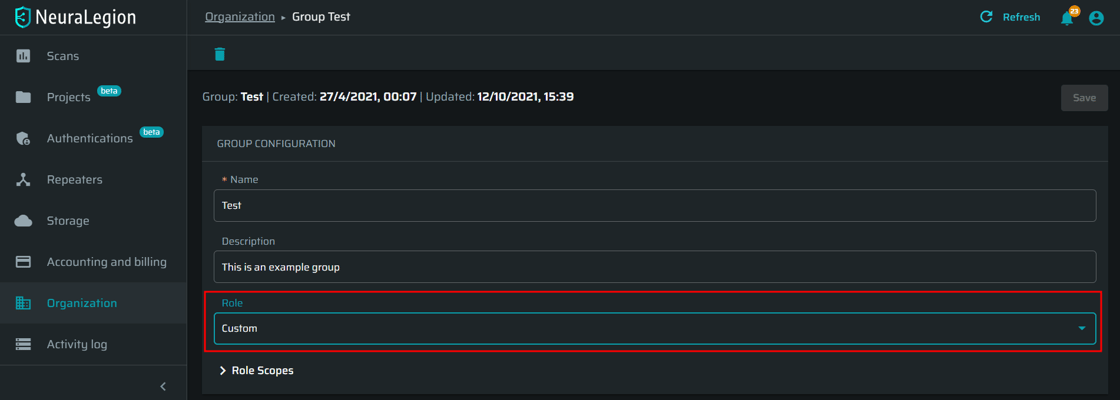
Group administration with an organization-level API key
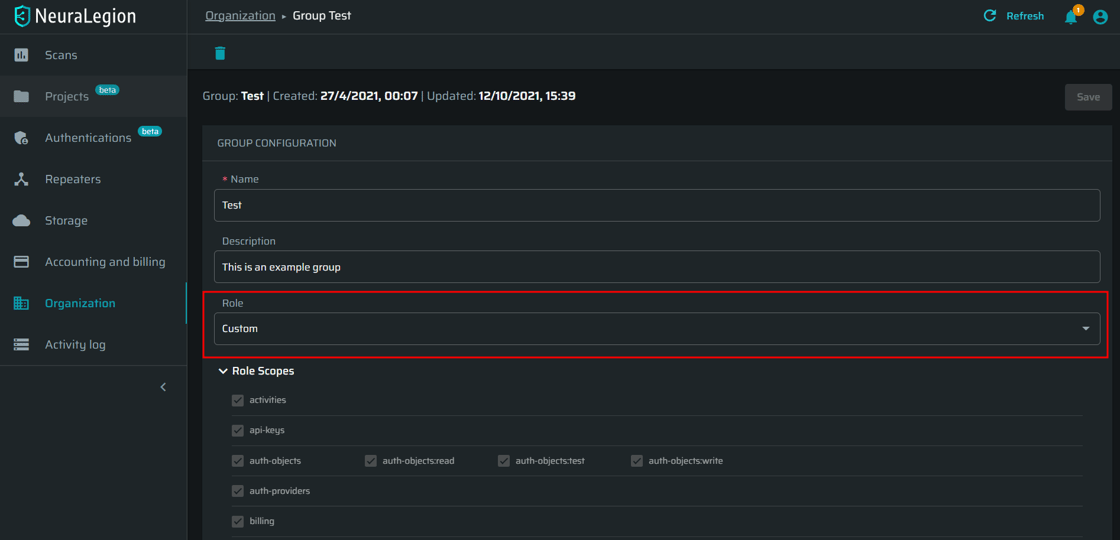
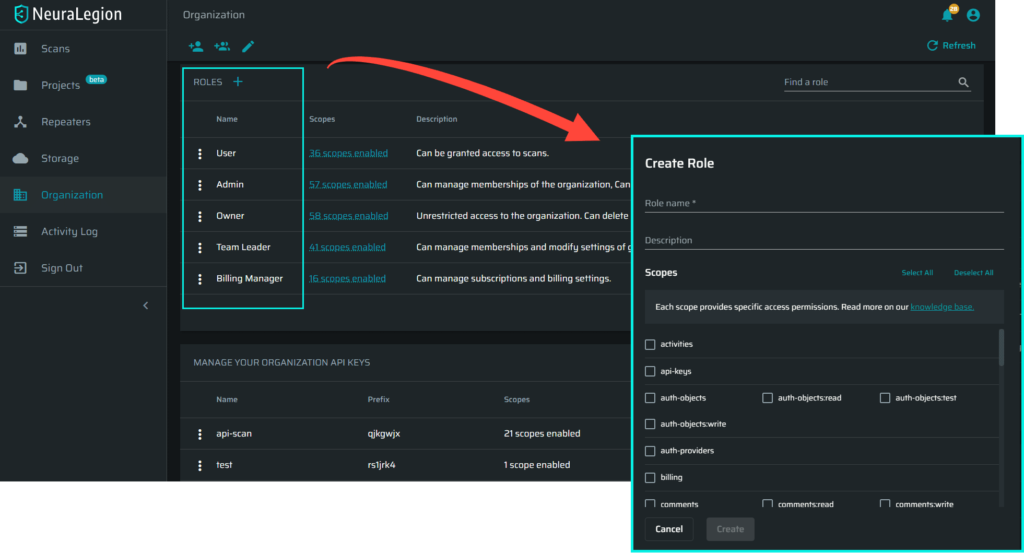
Every group can now be assigned a role, which defines the access scope in fine-grained detail.
PDF report performance optimizations
You can now export a PDF report faster, with better page layout.
General UI improvements
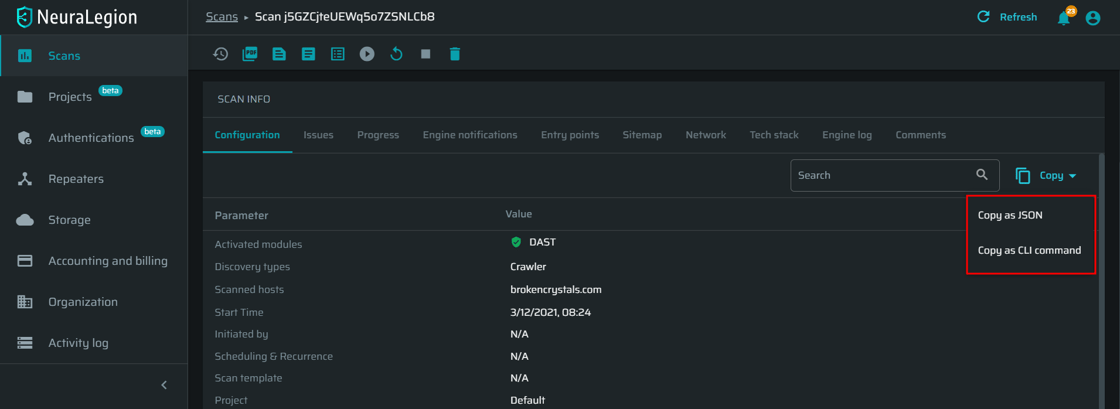
We improved the search, download and copy buttons, the engine notifications view, and introduced some other enhancements to make your experience better.
General performance improvements
Various improvements for engine performance and stability for handling edge-cases during the discovery stage.
This blog post announces the November 2021 Update for Bright. We added some new features and product enhancements that will make your experience even better.
New Features
Assigning roles to groups
Every group can now be assigned a role, which defines the access scope in fine-grained detail. Try it out – manage your organization.
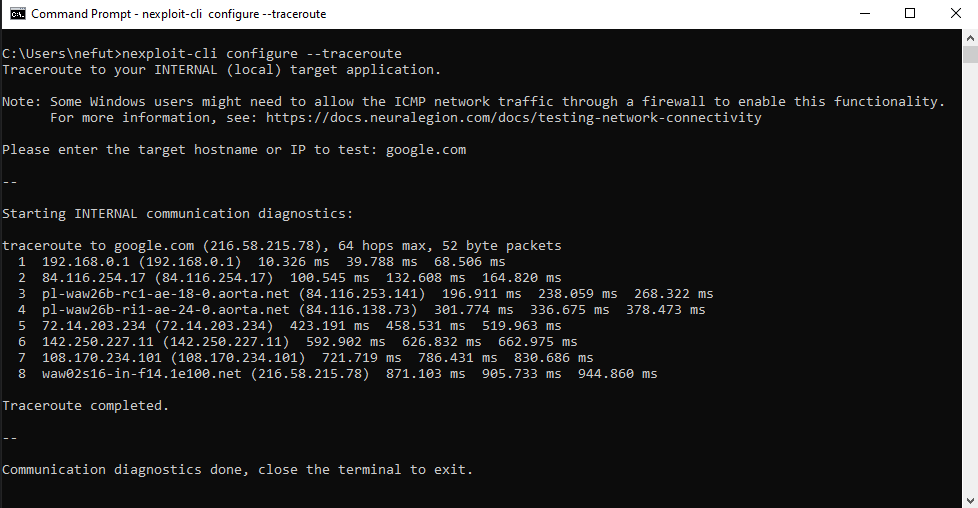
Get full IP traceroute on a specific target
Reveal all connectivity bottlenecks in minutes! Get a full IP traceroute on your target application to easily manage whitelisting Bright. See the documentation.
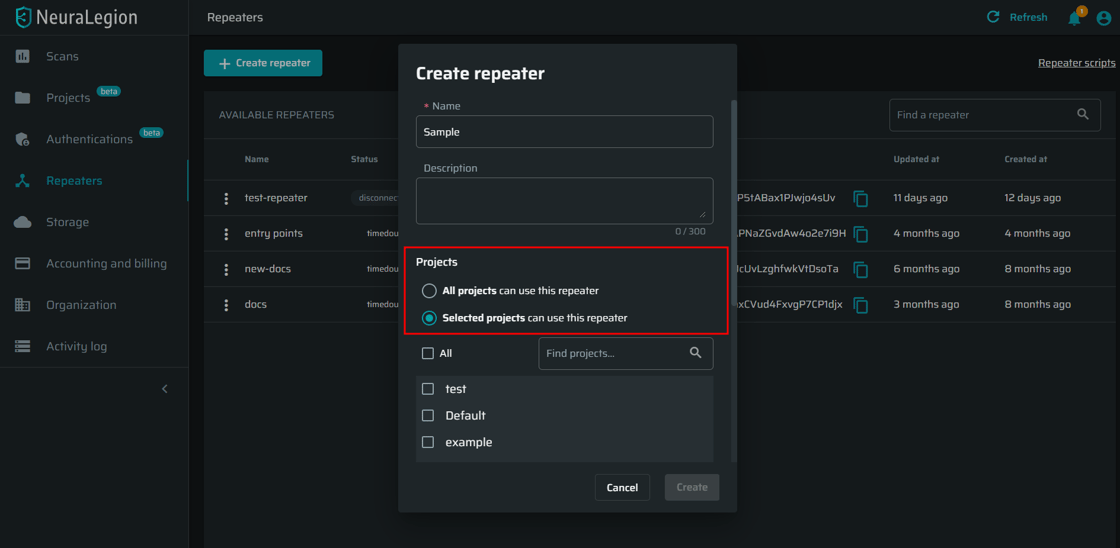
Restrict a Repeater to a specific project(s)
You can now use a repeater only for particular projects, which lets different teams scan only specific local targets. See the documentation.
Improvements
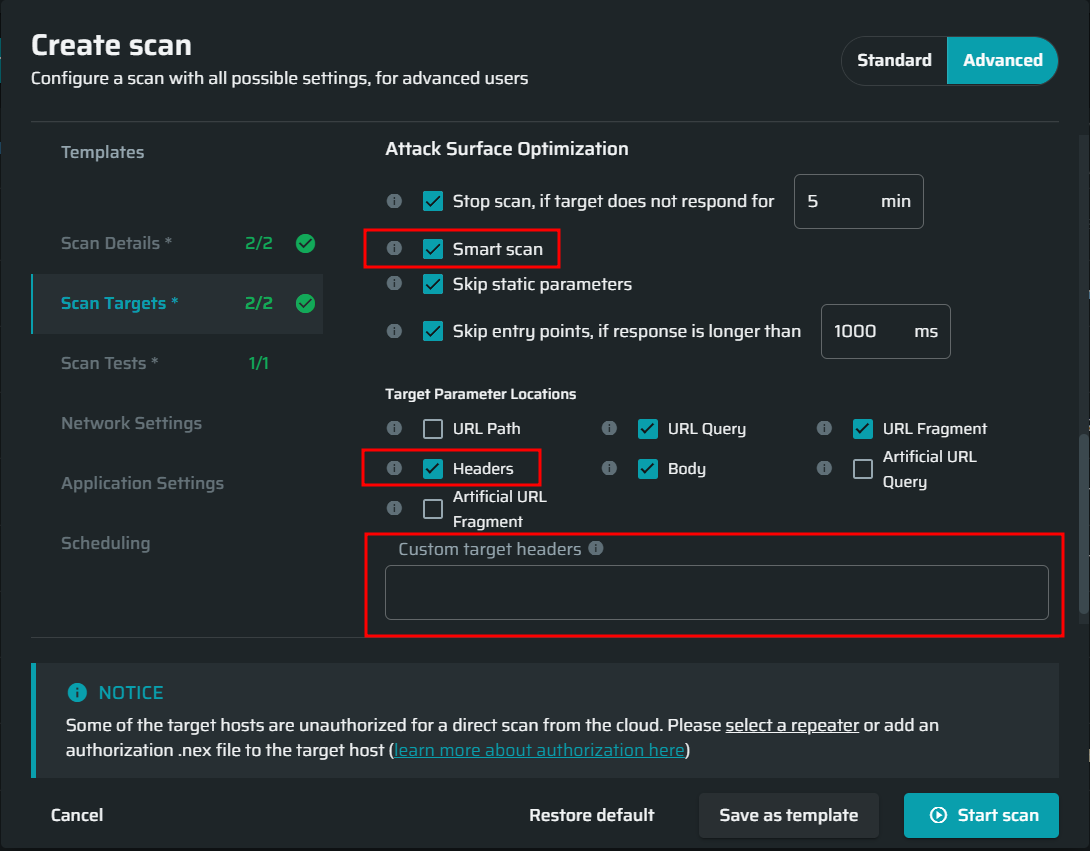
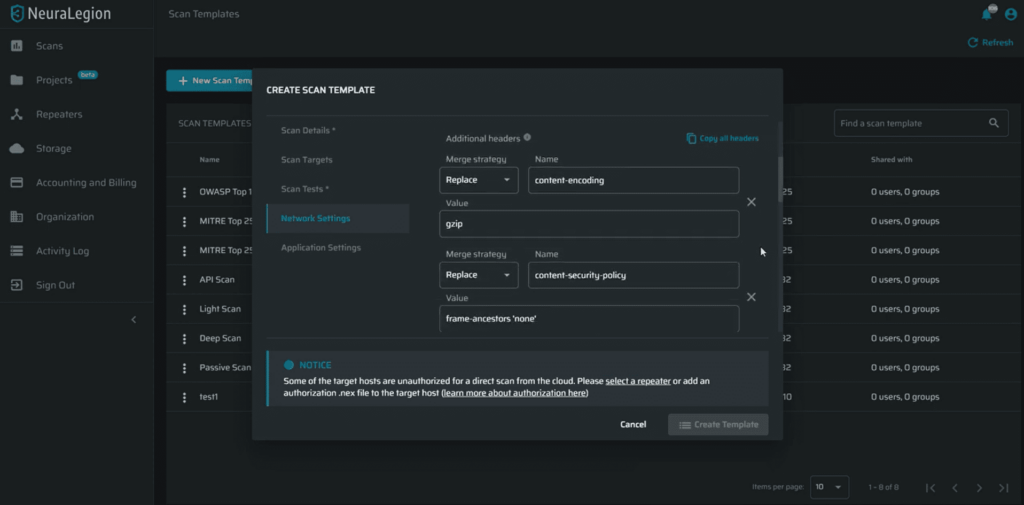
Optimize attack surface with custom headers
You can now optimize the attack surface by selecting specific custom headers to be covered by tests during scanning. These headers will be included in the “smart scan targets” for your scans, allowing you to test your custom headers with all our tests without compromising on scan speed. Run a scan with custom headers
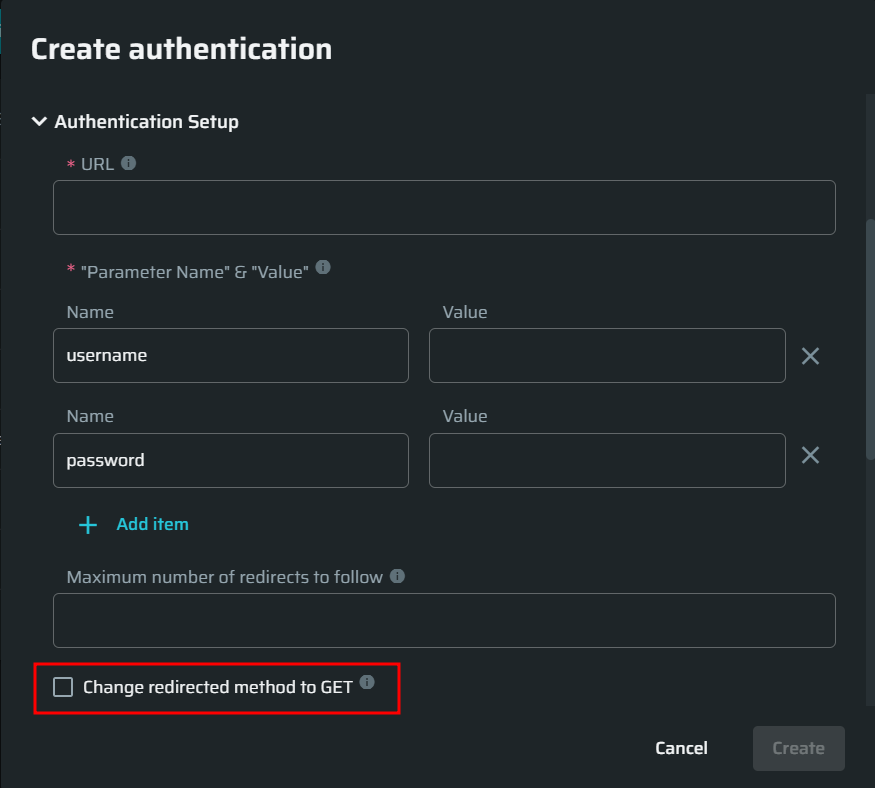
Possibility to change the method on redirect when configuring an Authentication Object
When configuring an authentication object, you can now enable redirects for code 302, where the server expects the following methods to always be GET during redirects, and not the original method that triggered the redirect. Create an Authentication Object.
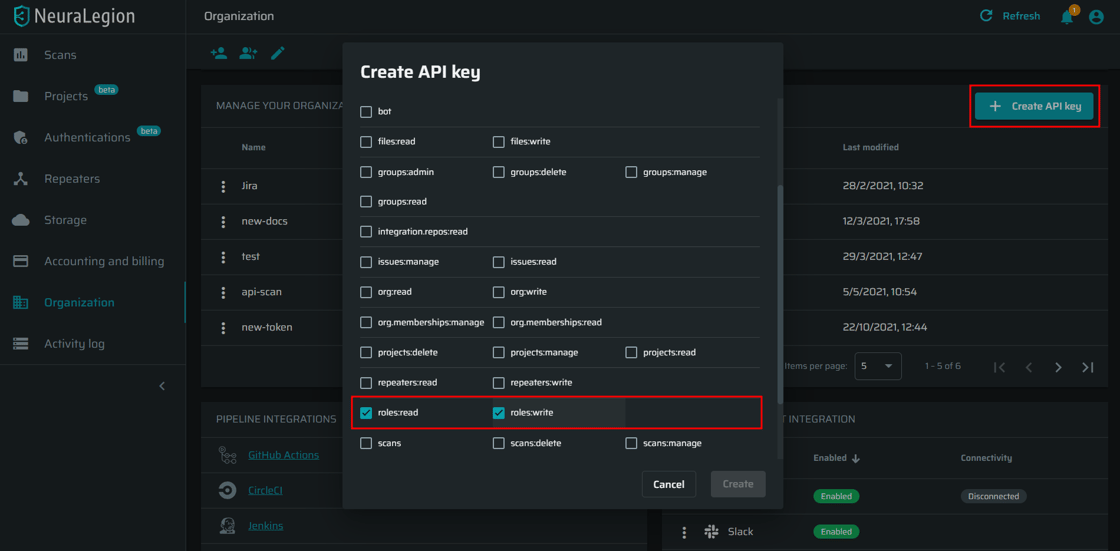
Allow using API keys to access role resources
From now on you can select the role-related access scopes when creating API keys, as well as manage those roles via our REST API. See documentation.
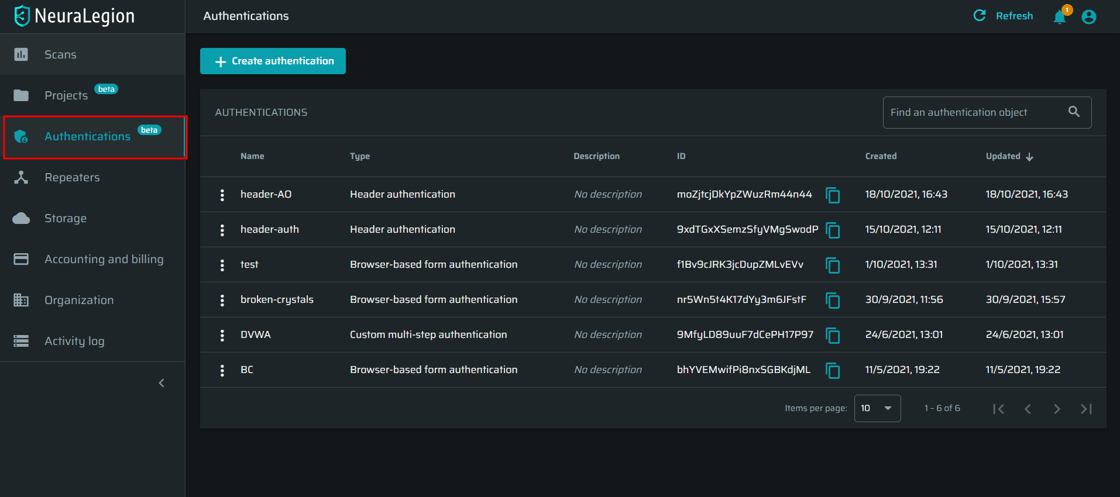
Easy access to Authentications
Now you can easily reach Authentications from the left menu. See the documentation
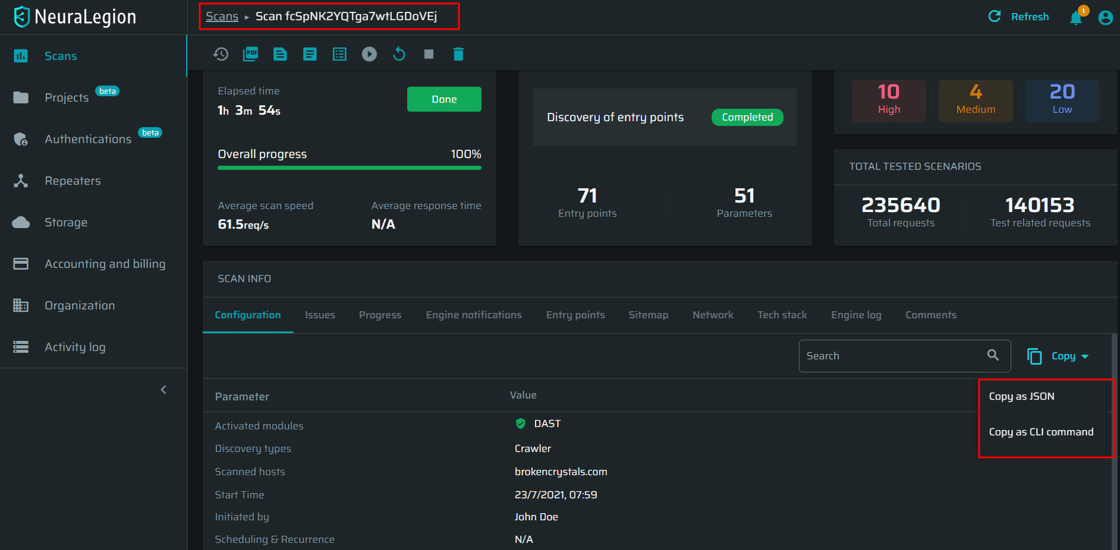
General UI improvements
Enjoy our improved breadcrumbs navigation, smart copy button, “found issues” view on the Scans page, and other UI enhancements to make your experience better.
Scan surface discovery and speed improvements
We improved scan speeds by automatically analyzing and excluding irrelevant entry points such as duplicates and static resources.
This blog post announces the October 2021 Update for Bright. We added some new features and product enhancements that will make your experience even better.
Don’t have a website, but you want to run a security scan with Bright?
We launched an intentionally vulnerable website ‘Broken Crystals’! If you always wanted to run a scan on Bright, but didn’t have your target, here it is:
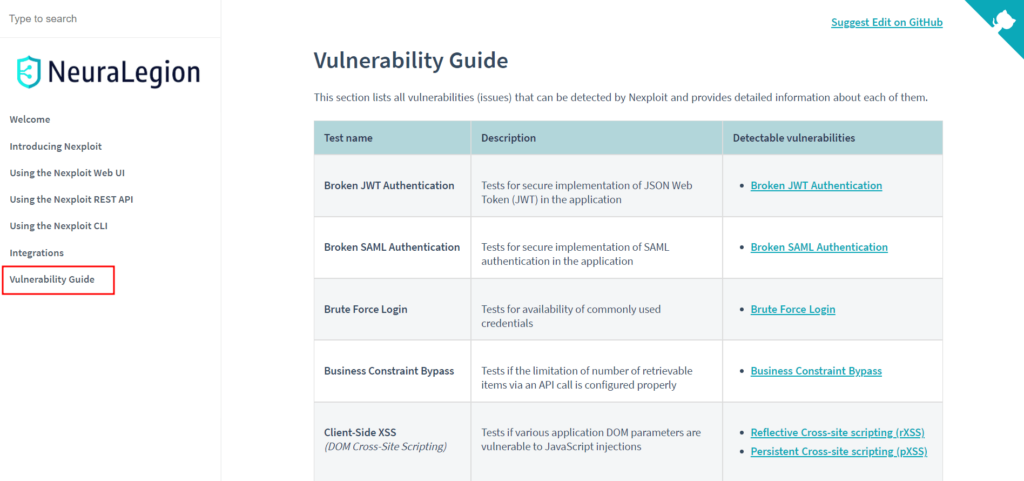
Check out the new documentation that will make your experience even better!
You’ll find comprehensive concept topics and step-by-step guides to help you deploy, configure and use Bright, as well as get assistance if you get stuck. Let’s jump right in!
docs.neuralegion.com
Bright Security DAST Pricing and Packaging Explained
This blog post announces the September 2021 Update for Bright. We added some new features and product enhancements that will make your experience even better.
New Features:
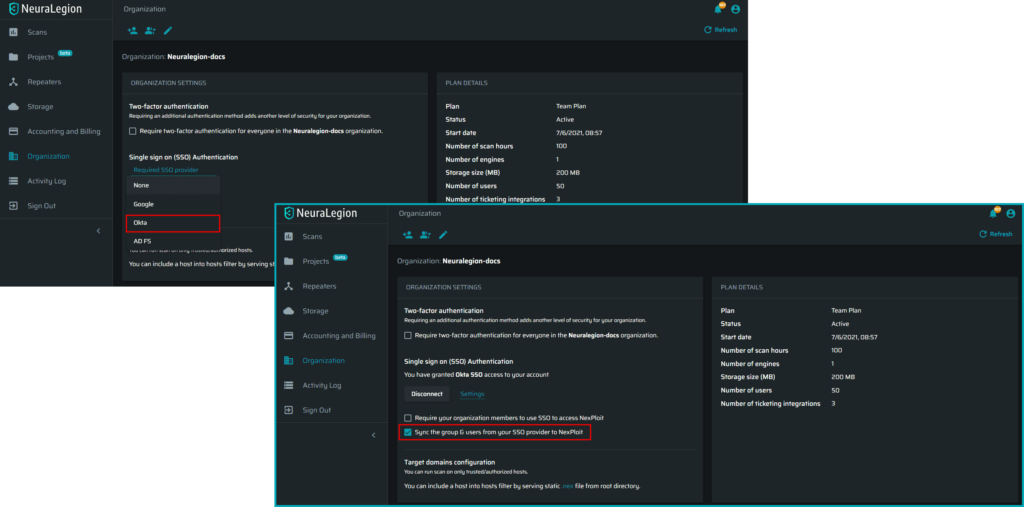
Okta SSO provisioning
Now you can easily sync up the users and groups between your Okta application and Bright organization.
Check out the docs!
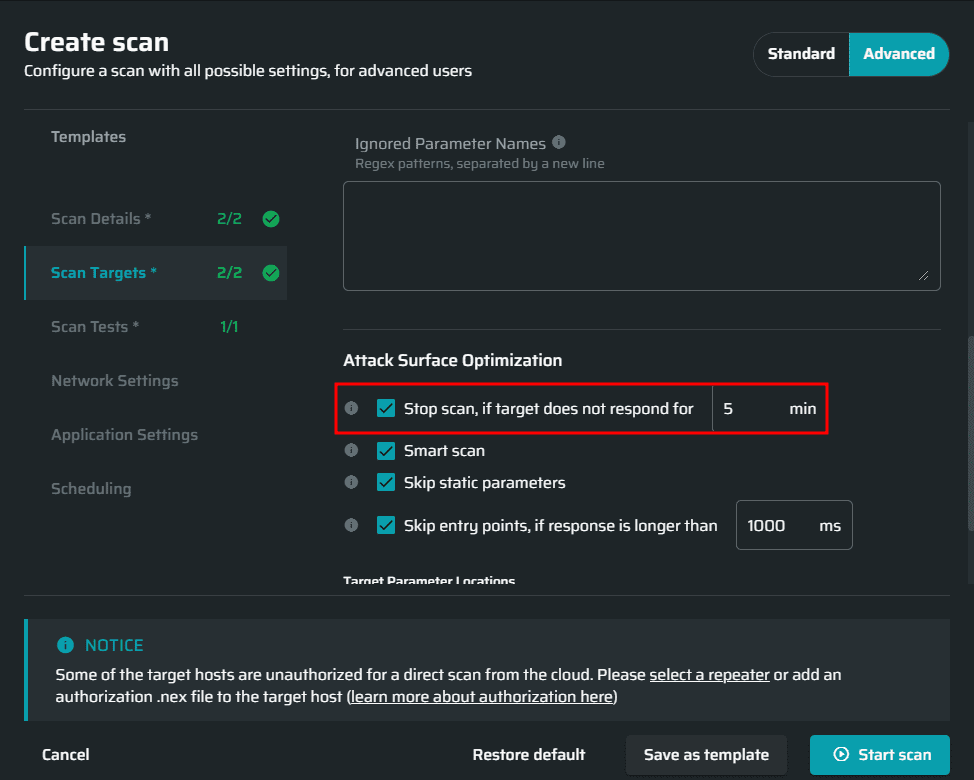
Global timeout for scans
We are here to help you save your time! If for some reason the scan target does not respond anymore, you don’t need to wait for a long time while all the scan tests are being sent into the void! Simply use our new feature to stop the scan automatically when the target is not responsive.
See documentation
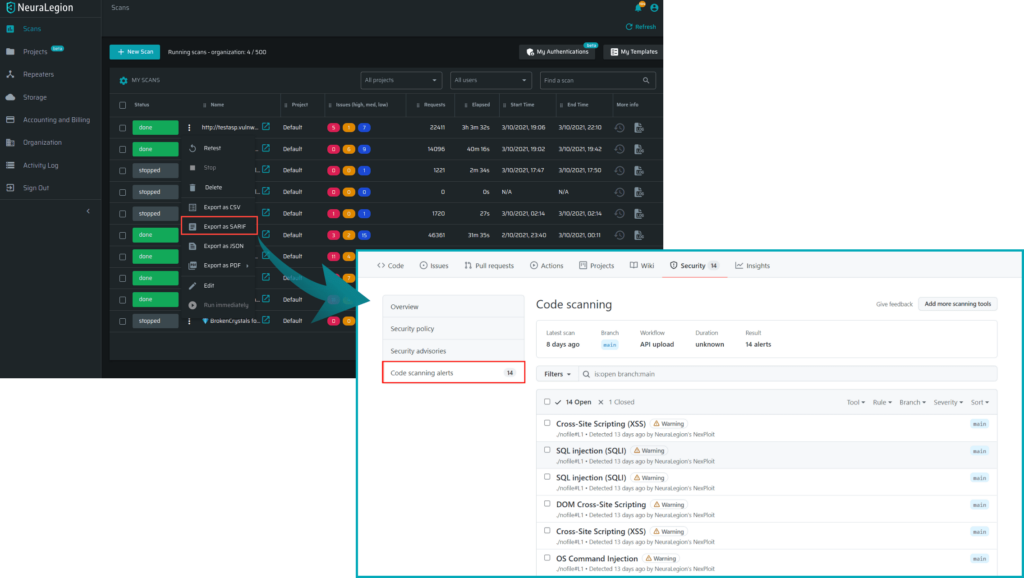
Integration with GitHub SARIF reports
Now you can manage all found issues from Code Scanning Alerts on GitHub.
See documentation
Export Entry points list as CSV
We added the possibility to download all discovered entry points as CSV to help security teams analyze the scan results better.
See documentation
Advanced internal/external proxy configuration for the Repeater
From now, when scanning with a Repeater, you can proxy the internal (to your local network) and external (to our cloud) traffic separately.
See documentation
Improvements:
Speed improvements for scans with a Repeater
Speed up when scanning with a Repeater!
Request/Response correlation IDs in Engine logs
You can now easily find the relevant response to a request by its ID!
UI stability improvements
Check out our new schema editor and other UX improvements to make your experience better!
This blog post announces the August 2021 Update for Bright. We added some new features and product enhancements that will make your experience even better.
New Features:
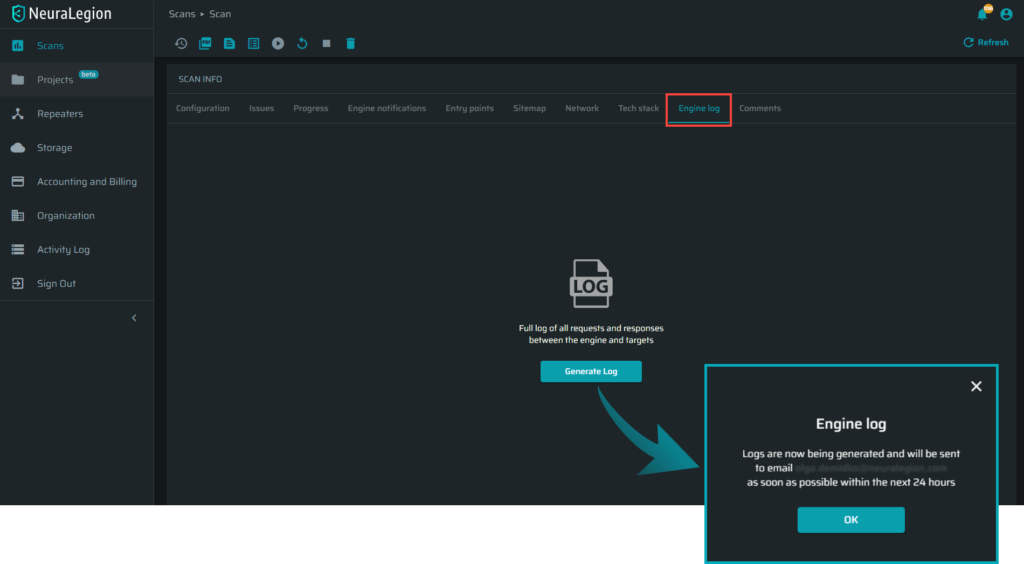
New engine logs download
From now on there is no need to worry about downloading large engine logs. When needed, the full engine logs will be generated offline and will be available for download via an email notification.
Check it out!
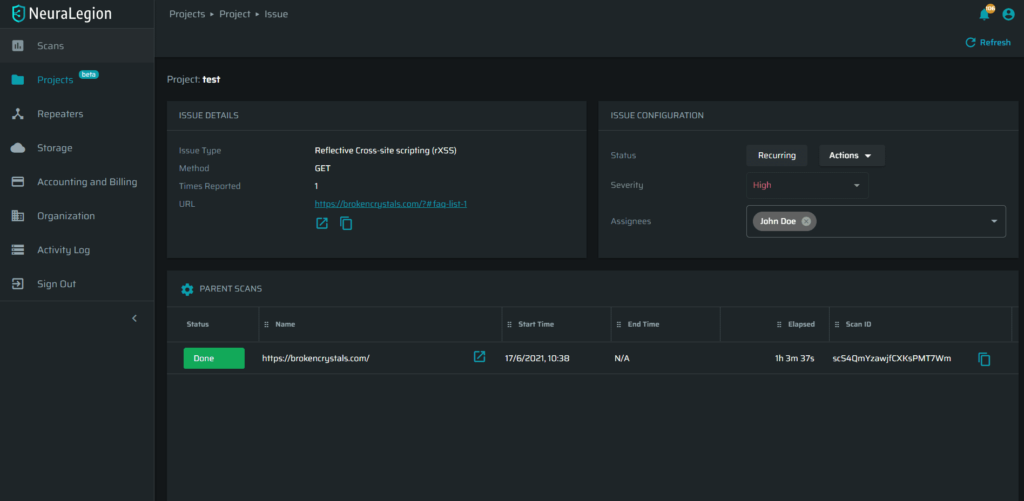
New project issues page
Check out the new ‘Project Issue’ page, where each finding can be tracked over time over multiple scans.
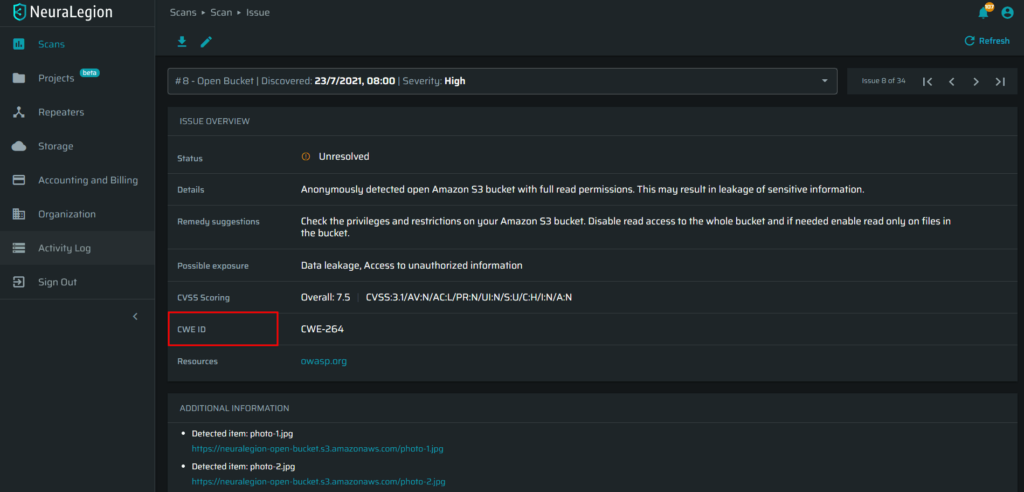
Added CWE ID to found issues
We added the CWE ID for found issues to further help security teams triage the scan results more effectively
New ‘Smart Copy-Paste’ for headers input
Tired of manually filling out the required ‘Headers’ one-by-one? Check out our new ‘smart copy’ option with the new ‘Headers’ field!
This blog post announces the July 2021 Update for Bright. We added some new features and product enhancements that will make your experience even better.
New Features:
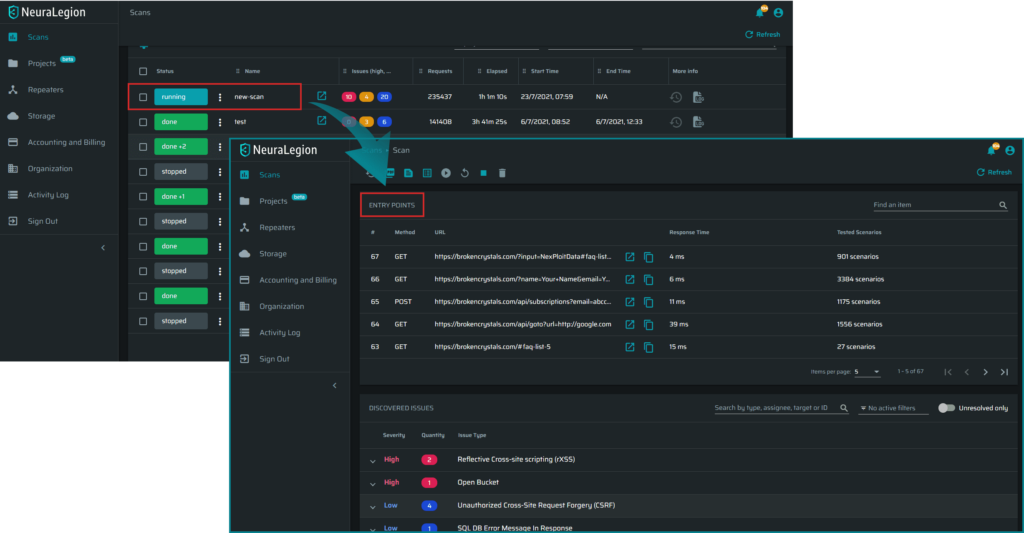
A new ‘Entry Points’ section in the scan summary
You can now see a detailed breakdown of all the tests that were done on specific endpoints in your application, their parameters, and more!
Open tickets in integrations by Issue Severity
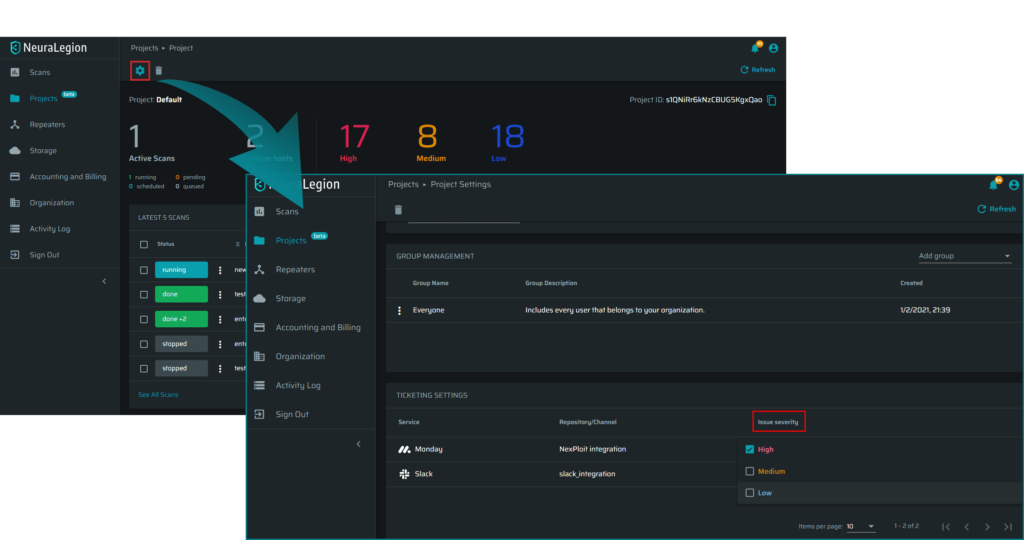
You can now select specific severity levels to trigger opening a ticket on your integrated ticketing platforms!
Improvements:
Crawler & UI stability improvements
We deployed significant crawler improvements on the engine and significant upgrades to the UI to provide a smoother & quicker user experience.
This blog post announces the June 2021 Update for Bright. We added some new features and product enhancements that will make your experience even better.
New Features:
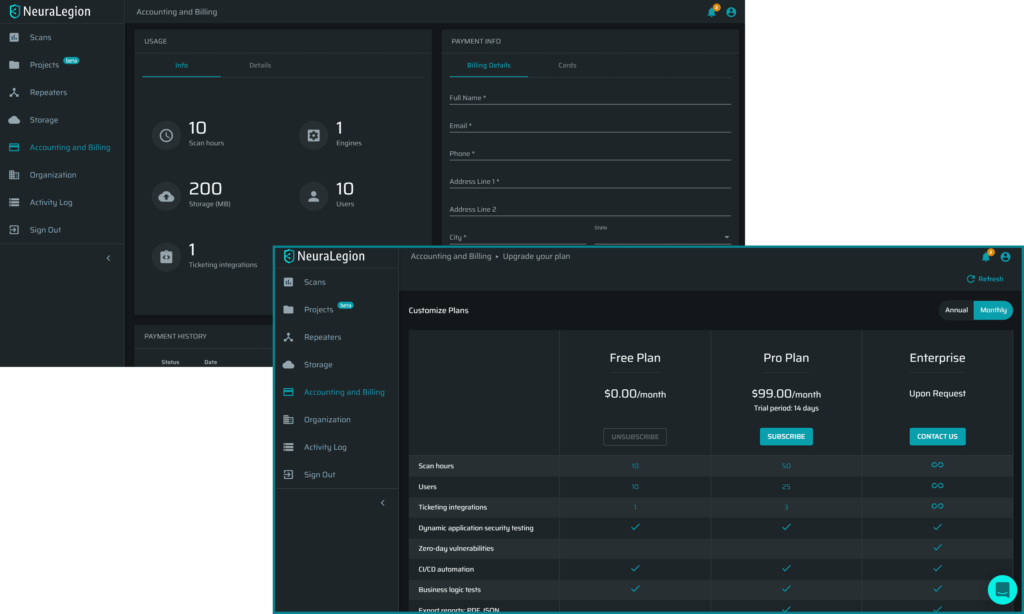
You can now upgrade to the Pro plan on your own
We have officially released our self-service billing system! You can now easily upgrade your free plan to a Pro plan! The Pro plan expands the number of scan hours and developers, and enables new features:
You can now open tickets for found issues directly in your GitLab repositories! To enable, in your account, go to Organization and scroll down to Ticket Management Integration.
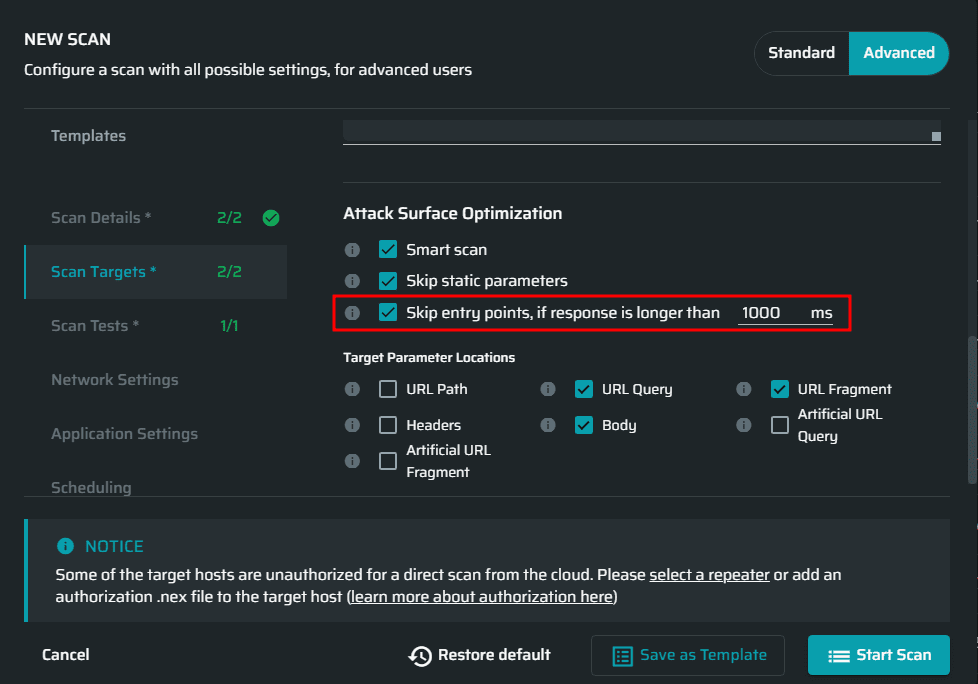
Skip Slow Entry-Points Automatically
Speed up your scans by skipping the few slow endpoints that may cause a delay! (Don’t worry, you can always scan them separately later)
Improvements:
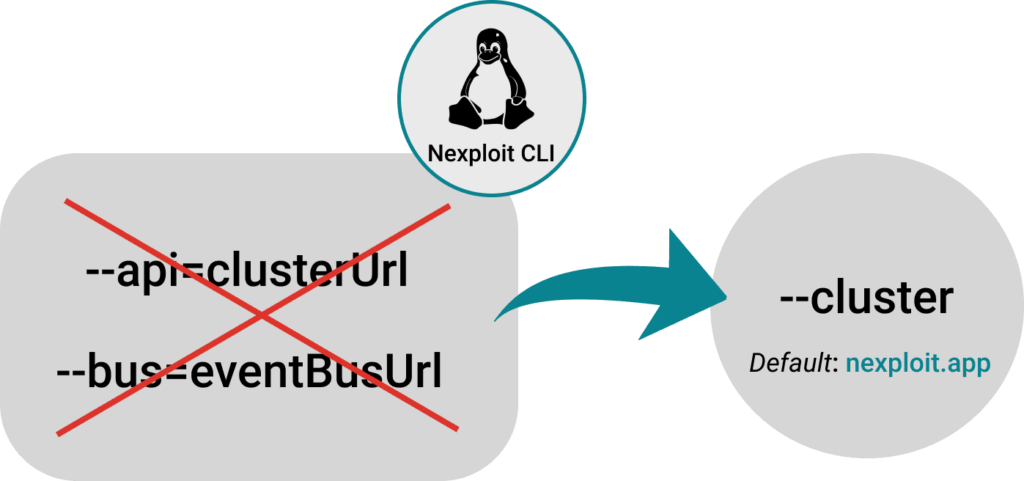
Easier private cloud deployments with the ‘Cluster’ parameter in the CLI
Configure a Repeater for private cloud deployments more easily with the new ‘cluster’ parameter for the CLI
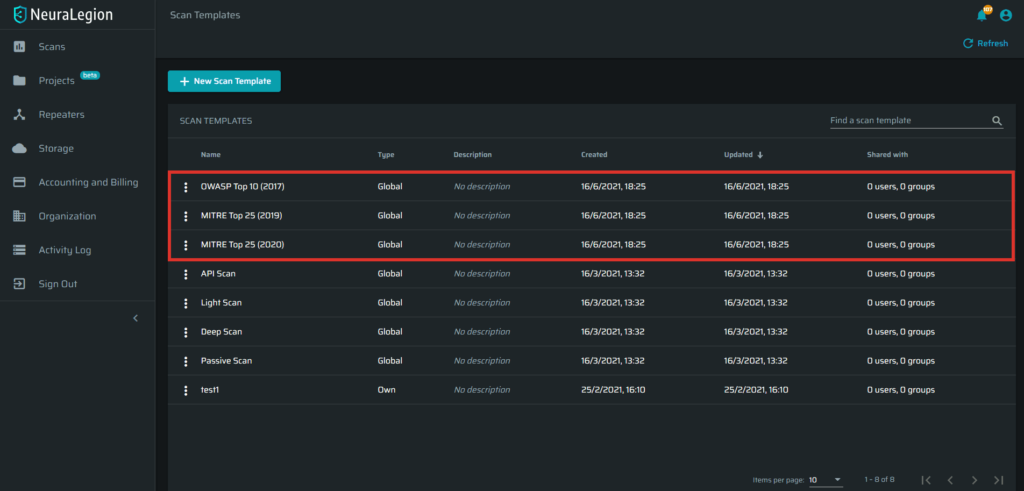
New Scan Templates
We added a few new scan templates, including OWASP Top 10, and MITRE Top 25.
To run a scan from a template, go to Scans (click the button below), click on New Scan. In the New Scan window, click on the Advanced tab (top-right), and click on Templates. Select your desired template from the list. That’s it!
This blog post announces the May 2021 Update for Bright. We added some new features and product enhancements that will make your experience even better.
New Features:
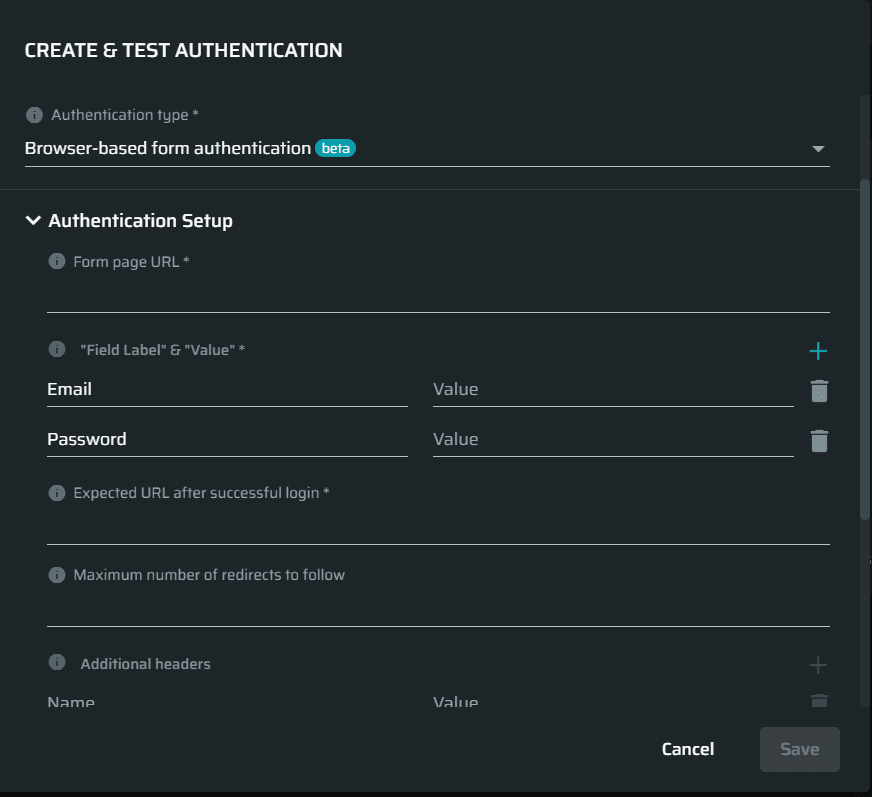
Browser-Based Authentication
A new, significantly improved Authentication type that uses our browser automation to easily configure authentication forms for web applications!
Automatic Version Detection for the Repeater
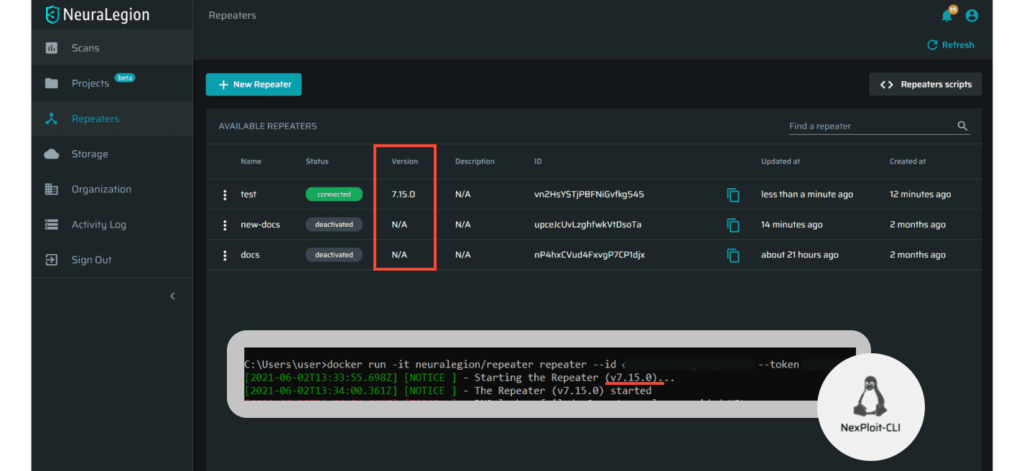
When running the Repeater now it will automatically check for a new version and notify you if an update is required, both in the CLI & directly from the UI
Logging level controls for the Repeater
You can now easily control the logging level when running the Repeater.
Improvements:
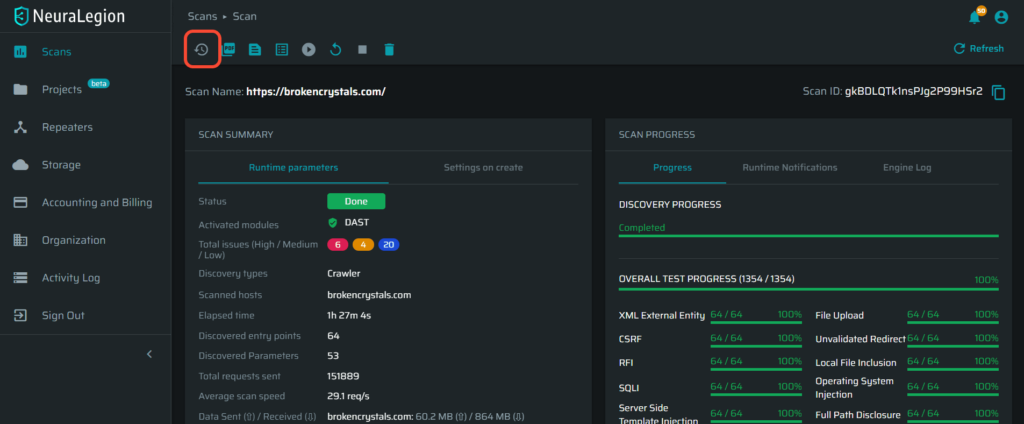
A new ‘Scan History’ Button
Navigate from scans directly to history!
Speed & Stability Optimizations for the UI
Significant upgrades to the UI to provide a smoother & quicker user experience.
Speed Optimizations for the Repeater
Optimizations for the Repeater to increase speed & stability
This blog post announces the April 2021 Update for Bright. We added some new features and product enhancements that will make your experience even better.
New Features:
Custom Roles
You can now fully configure user roles, create the ideal roles for your teams! Learn more.
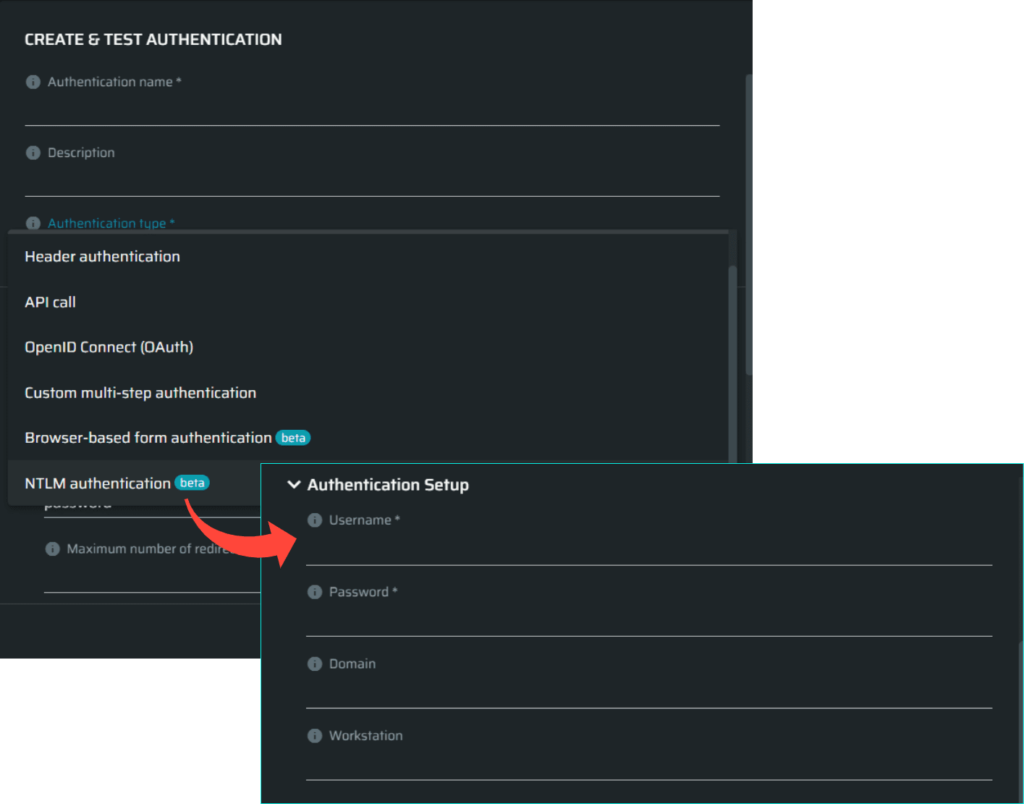
We can now set up NTLM authentication using an Authentication Object. Learn more.
Monday Integration
We can now integrate with Monday Boards to open issues automatically when a scan finds a vulnerability!
Improvements:
Speed Improvements
Additional engine improvement for many tests including: SQL injection, OS command injection, LDAP injection, Server-Side Request Forgery (SSRF) and more! Provide a significant speed boost to your scans!
Repeater Speed & Stability Improvements
Make sure you are using the latest Repeater version (7.13.1), to enjoy a significant increase in speed and stability. Learn more.